


Case study · Construction · Built for a major roofing manufacturer
Kontur messenger with calls: employee communication stays inside the company
An iPhone and Android app, a web version for the desktop and an admin panel: chats, voice calls, company structure and access rights. Everything runs on the client's servers, and personal data is encrypted as the law requires.
How it works: company structure, access rights, client server, apps, administrator
Structure
blocks, sectors, employees
Access rights
who can talk to whom
Client server
chats, calls, notifications
Apps
iPhone, Android, browser
Administrator
import, statuses, log
The challenge
Employees used public messengers. Work conversations and personal data ended up on third-party servers, and management could not set who may contact whom. The company needed its own communication service with the convenience of a familiar messenger, but inside a closed environment and in line with the personal data law.
It also needed an admin panel: to maintain the company structure, add employees and manage their statuses without involving developers.
Before
- Conversations in public messengers
- Work and personal data on third-party servers
- No way to set who may contact whom
After
- Its own messenger with calls: iPhone, Android, browser
- Conversations and calls on the client's servers
- Management sets who talks to whom through the panel
What we built
Chats with history
One-on-one conversations with history, replies to messages, editing, reactions and pinning. Voice messages are transcribed to text on the company's server.
Voice calls inside the app
One-on-one calls through the client's own media server. An incoming call appears as a regular call on iPhone and Android. The call log keeps completed, missed and canceled calls.
Company structure and search
A tree of blocks, sectors and departments, employee cards with job title and contacts, and search by name. An employee sees only the part of the structure they have access to.
Access rights
A matrix of who can message and call whom. Deactivating an employee closes their access at once. All rules are checked on the server, not in the app.
Closed environment and data protection
The service is deployed in the client's infrastructure, personal data is encrypted in the database, and there are no external paid services. Notifications on iPhone and Android show only what the settings allow.
Admin panel and web version
Structure, employees, links and statuses, import and export from Excel, and an action log. A web chat for the desktop with the same chats and calls in the browser, and profile photos with an editor.
The result
- Work conversations and calls no longer go to public messengers. Everything stays inside the company's environment.
- Management controls who talks to whom through the panel, without involving developers.
- Employees feel at home: the messenger looks and works like the ones they know, on the phone and at the computer.
- The service is deployed in the client's working environment, the apps are in internal testing, and a pilot with the company's real structure is next.
Statuses as of October 2026.
What it looks like
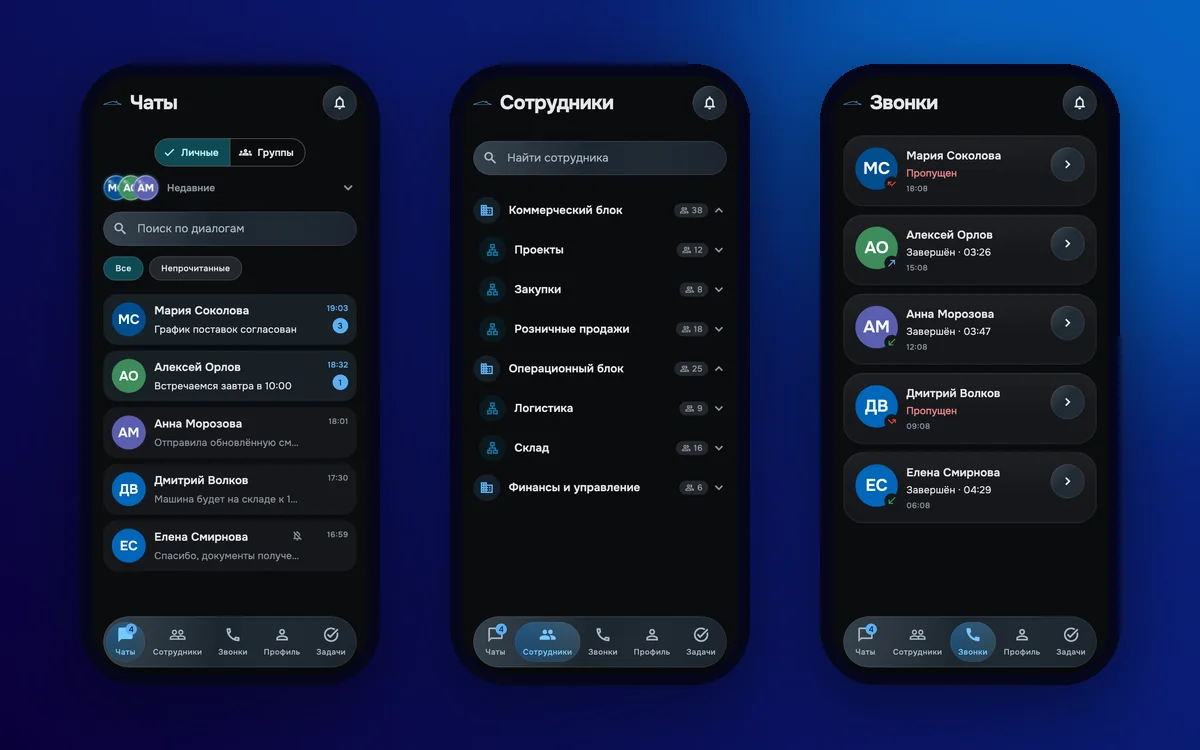
Mobile app: chats, company structure and call log — demo data 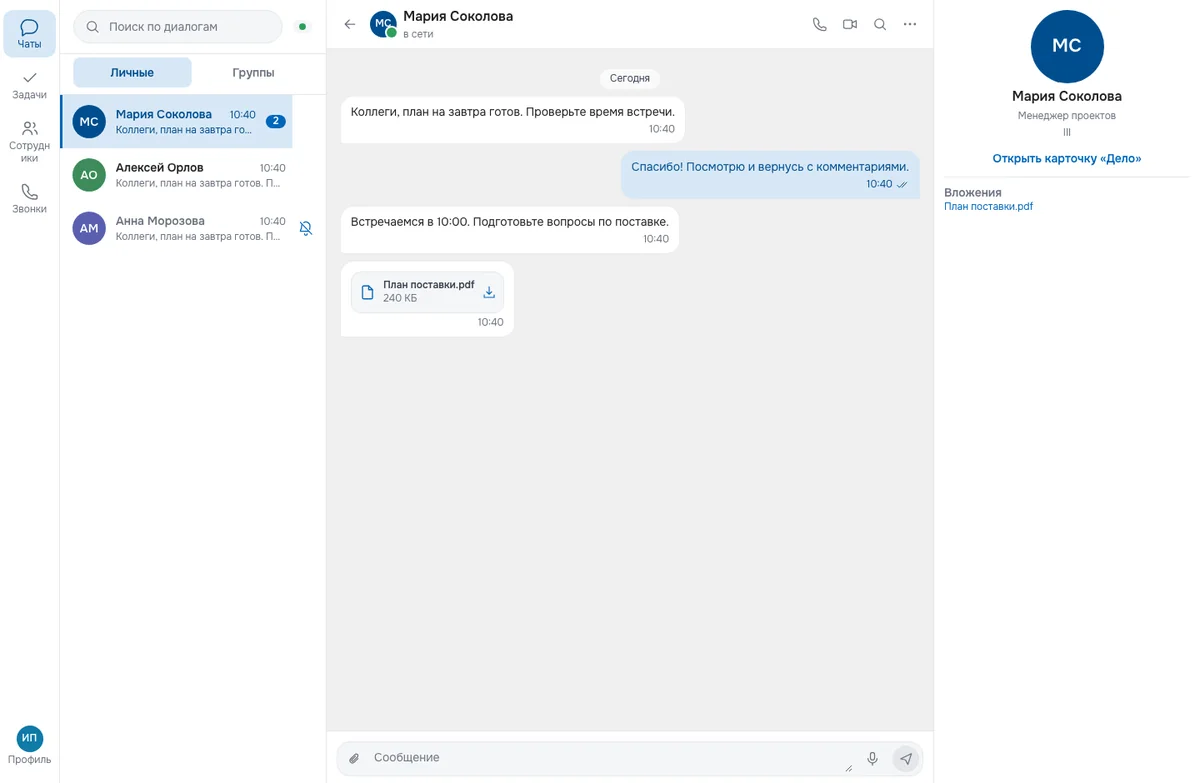
Web version for the desktop: direct and group chats, files in conversations, a contact card 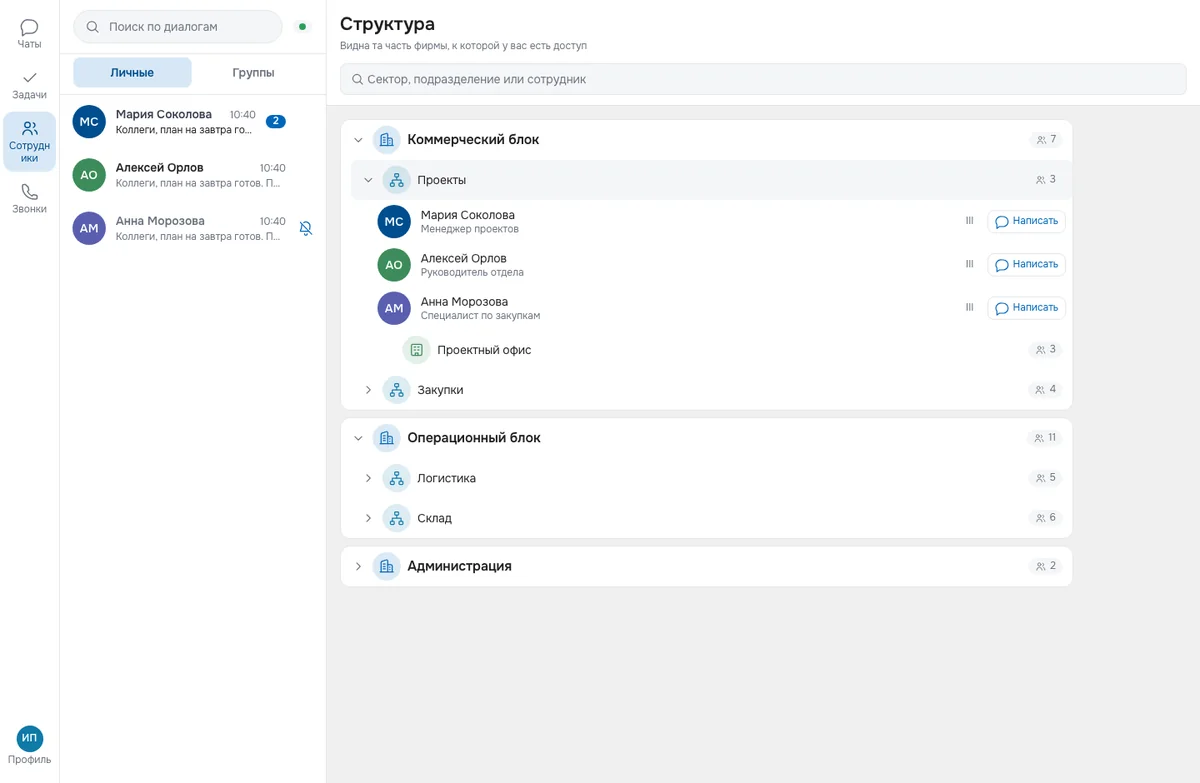
Company structure: an employee sees only the part of the company they have access to and messages a colleague in one click

Tell us what you do by hand today
or write to us directly